Nexus · test management for Jira
Menu
Get started
Nexus overview ↗Connected workflows

From requirement to release

Design reusable tests, run manual and automated checks, and follow every result back to its requirement, data and release context.

Get started →
  1. Requirements
  2. Reusable tests
  3. Test cycles
  4. Results & defects
  5. Human review
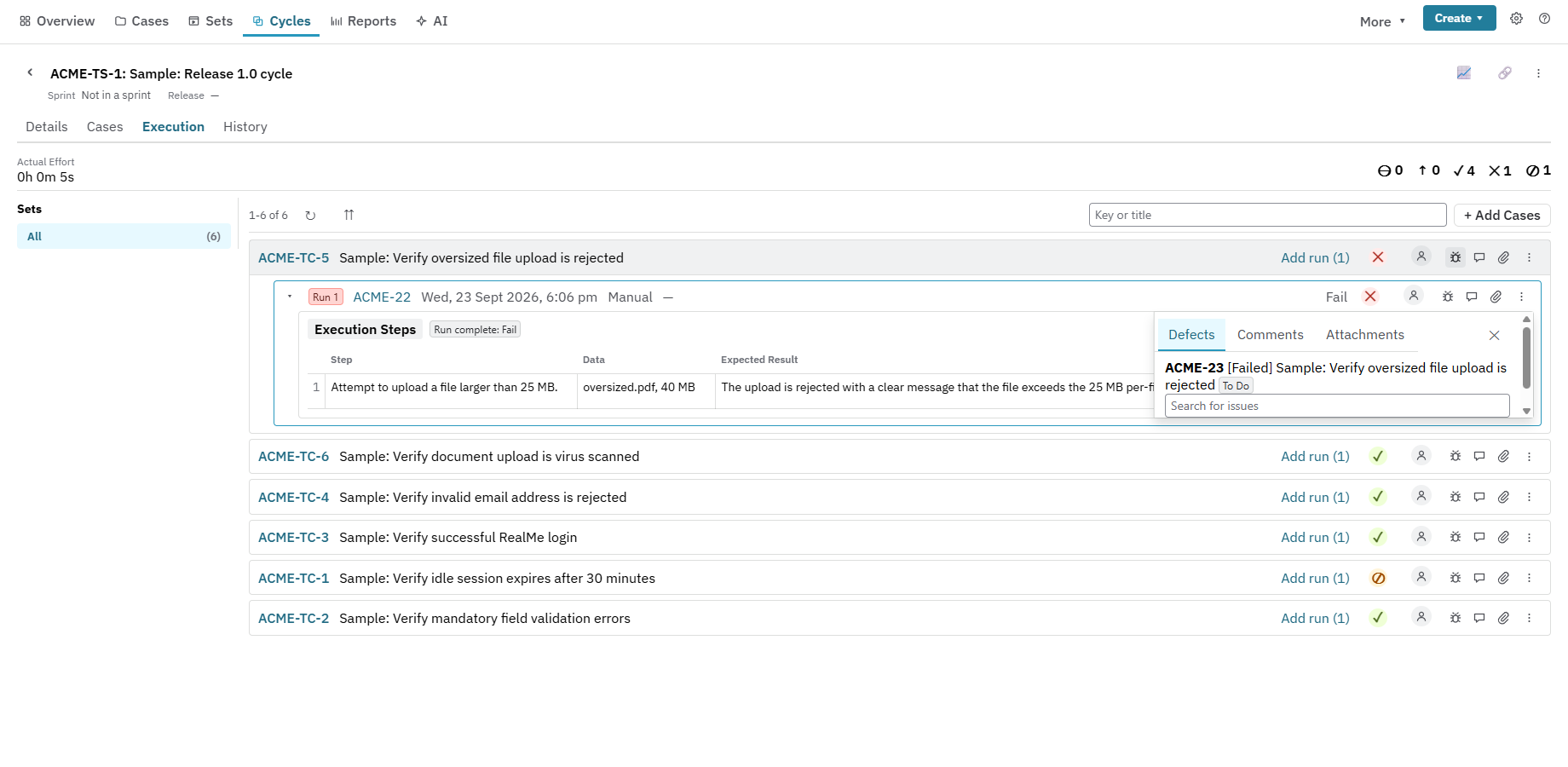
Execution and defect evidence
Nexus test execution with recorded results and a linked defect in a sample project.
Actual product · Sample project

The whole quality story

From requirement to release, nothing loses context.

01 / Execution

Testing that stays connected to the work.

Run tests step by step inside Jira. Capture evidence, record actual results and create a linked defect the moment something fails.

  • Step, BDD, free-text and checklist tests
  • Versioned designs, shared steps and test data
  • Complete execution and defect history
Nexus automation cycle showing a failed Selenium execution, captured assertion output and linked Jira bug.

02 / Traceability

Know what is covered. Prove what shipped.

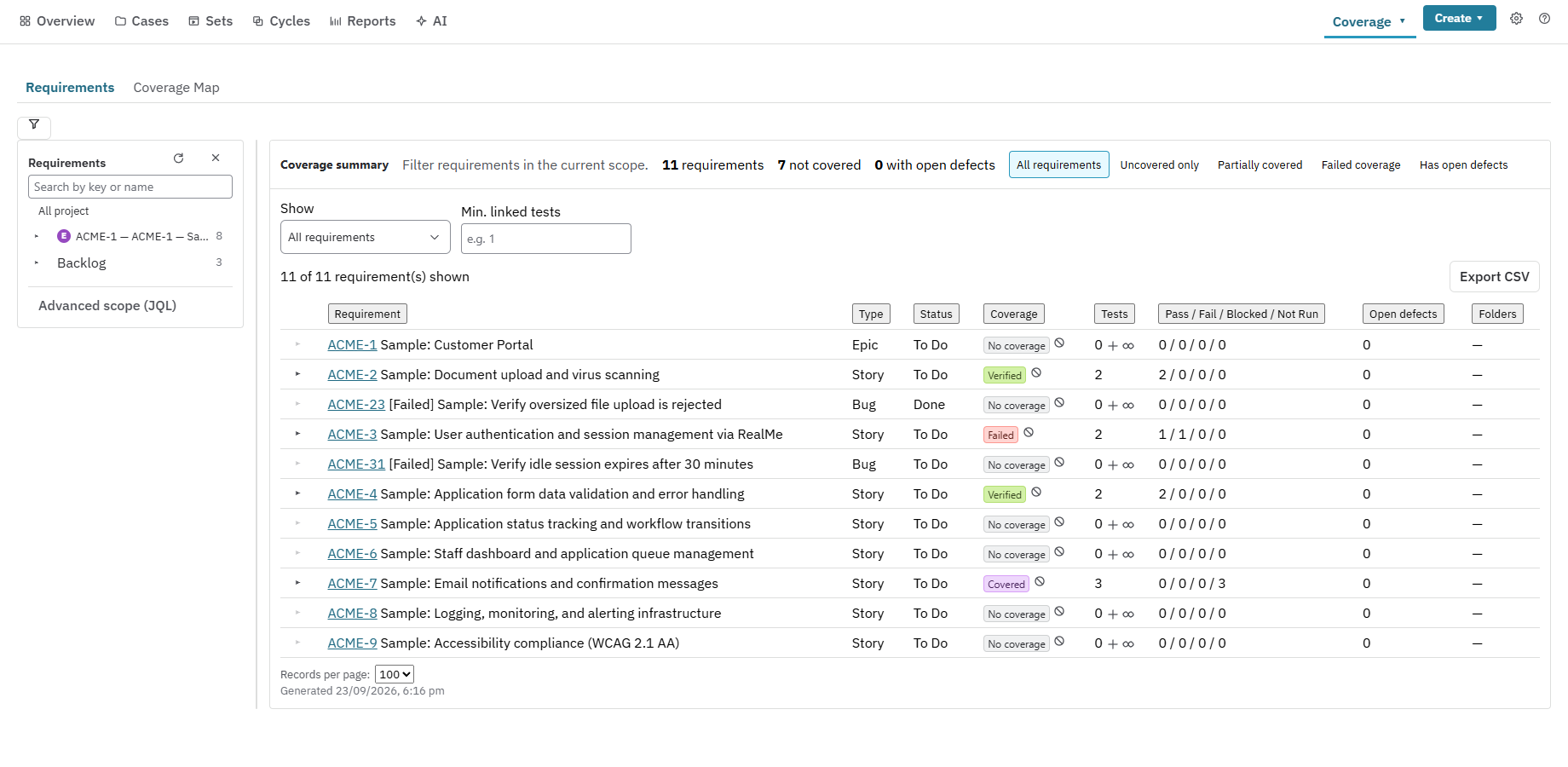
Trace every requirement to its tests, results and defects. Bring in CI results and see manual and automated evidence together.

  • Coverage, release and defect reporting
  • JUnit, Cucumber, Playwright, Mocha and xUnit
  • Stale results detected after new deployments
Nexus traceability matrix showing covered, failed, verified and uncovered Jira requirements with linked test results.