
Plan
Organise reusable test cases, sets and cycles around sprints and releases.
Nexus lives in your Jira project. Use familiar issues, permissions and search to keep testing close to the work it proves.
Get started →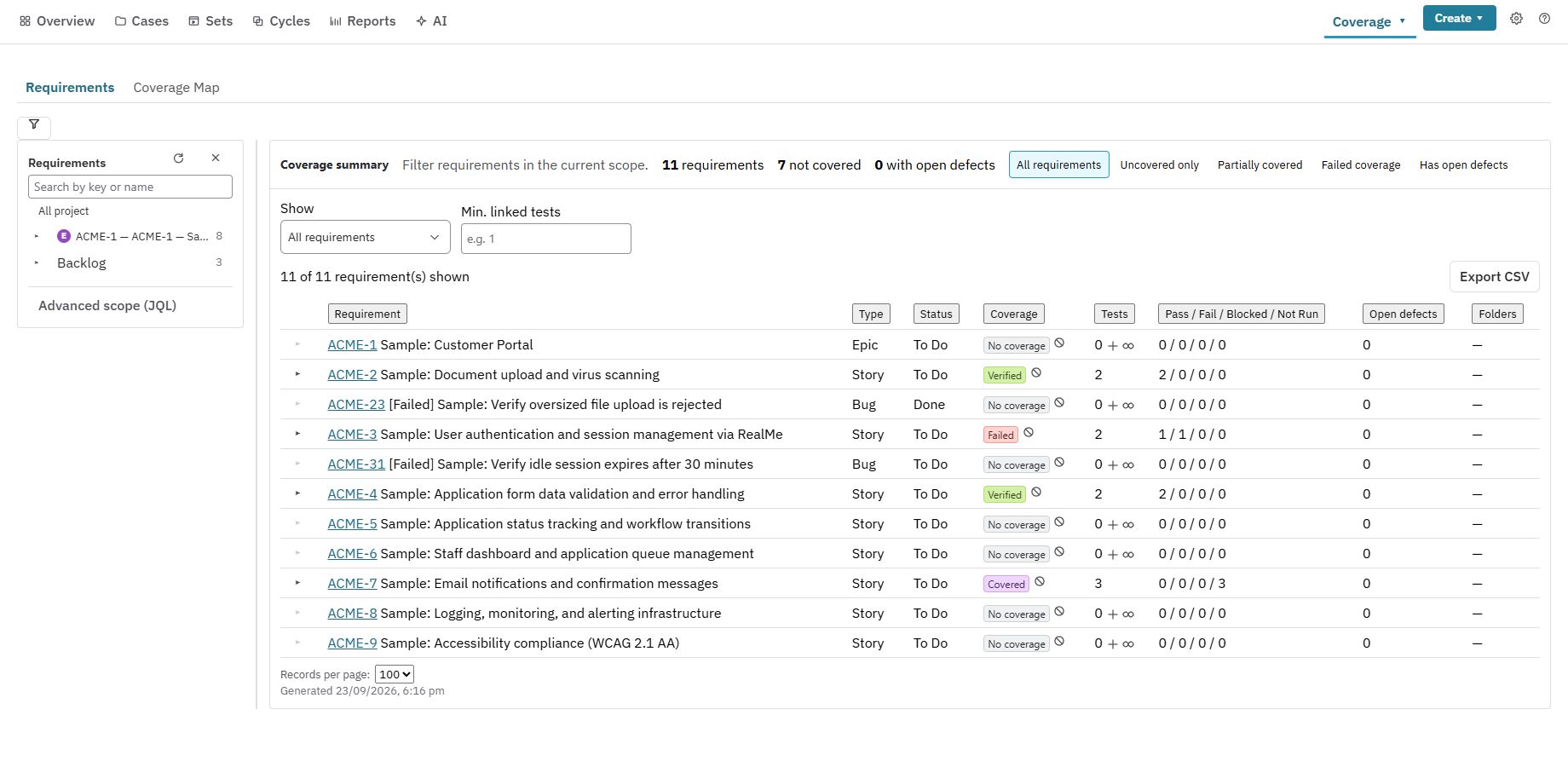
One Jira app
Use the Jira permissions, automation and search your team already knows. Keep every test asset close to the work it proves.
Organise reusable test cases, sets and cycles around sprints and releases.
Execute manual, data-driven and exploratory tests with evidence and timing.
Start GitHub Actions, GitLab.com, Azure DevOps Pipelines or Bitbucket Pipelines from a cycle with Run in CI. Use the customer-hosted Nexus runner for self-hosted Jenkins or GitLab. Review results in the same cycle.
Know what is deployed where and whether the latest evidence still applies.
Use 15+ reports, Jira dashboard gadgets, scheduled digests and exports.
Execution Mode saves each result and moves to the next test. My Testing ranks your next actions, and Quick View drawers keep you in context.
Share steps through the Step Library, add typed step fields and data sets, and run Test Case branches before promoting them to Main.
Use richer Test Plans with change history, admin-defined fields and dynamic membership, plus Sprint readiness for stories, results and open defects.
Export folders as CSV, JSON, Excel or Cucumber .feature files. Import .feature files into folders using @folder: tags. Move Test Sets and cycles with JSON round trips or CSV exports. Preview imports and undo them if needed.
Fewer Jira API calls
Nexus reads Jira data for the Test Repository and test case pages directly from your browser.
In development-build measurements, the Associations tab was about 3x faster, and repository and cycle views were up to 20% faster.
Server-side Jira calls per test case opened fell from 40–49 to about 4. Actual timings vary with the project, network and Jira response time.
Use executedBy to find runs where a person recorded a result, runsWithStatus for built-in or custom run statuses, testsInSet for set membership and requirementsWithoutTests for coverage gaps.
For example, issue in requirementsWithoutTests("ABC") finds requirements with no tests in project ABC.
Explore Jira test case management and testing software, then follow the manual testing guide for a worked example. Use requirements traceability to review what is covered and what needs attention.