
Find what needs attention
Review the release scope, pass rate by target environment, Quality Score, flaky tests, attention items and the gates your team configured. Follow the underlying evidence instead of relying on one percentage.
Bring release scope, target environments, pass rates, flaky tests, Quality Score and configured gates together before recording go or no-go.
Get started →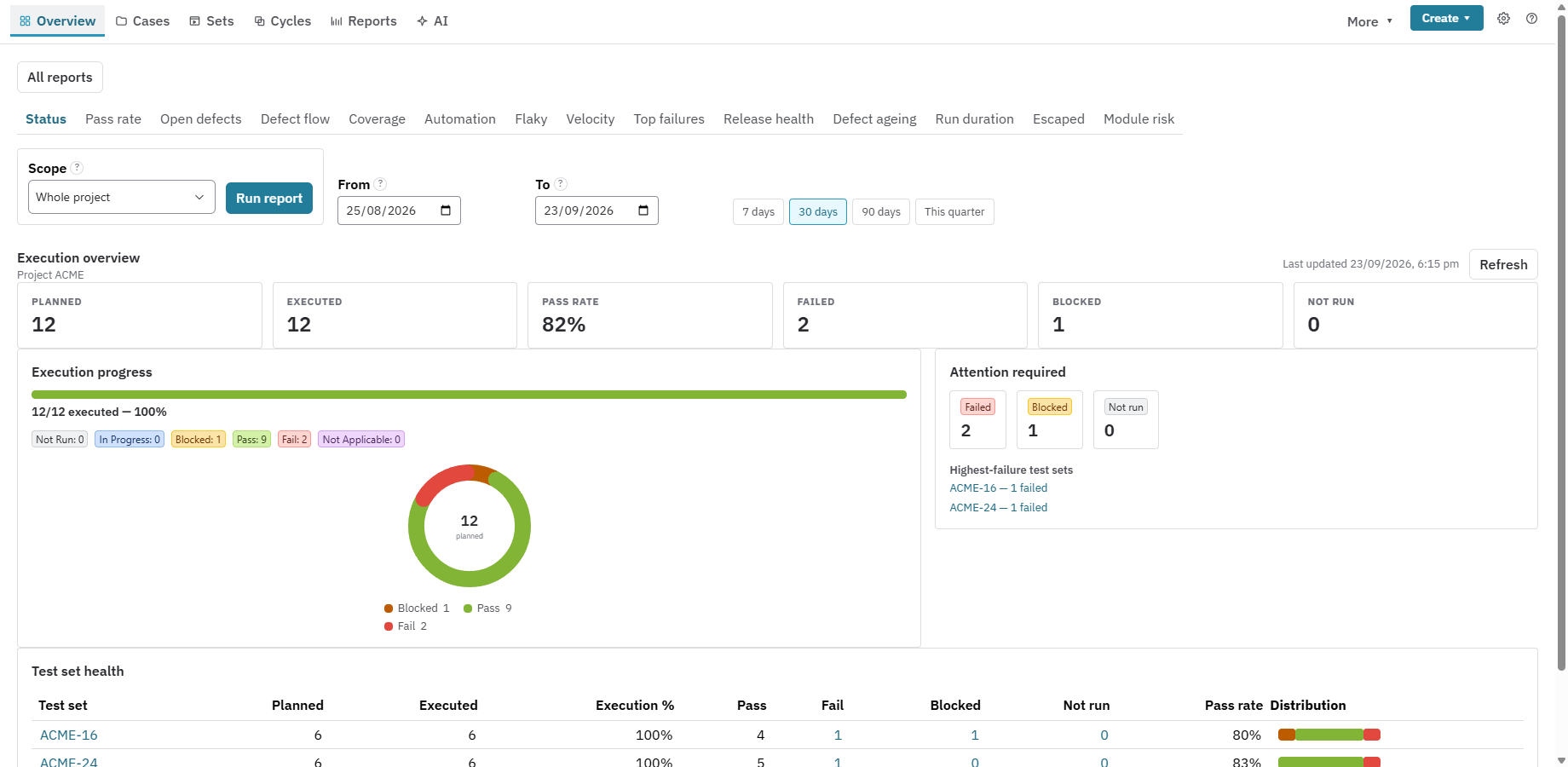
Evidence has a context
When a newer build or an invalidating event reaches an environment, Nexus marks the earlier passing evidence as stale. The old result stays in history; your team can see what needs to be tested again.
The execution records a passing result in Staging for the build tested.
The previous pass no longer proves the current deployment. Nexus identifies the stale evidence.
Record a fresh result against the new build, through manual testing or an automated result upload.
Check the remaining coverage, defects and configured gates before recording go or no-go.
Illustrative scenario. One passing test does not approve a release. Currency depends on recorded environment deployments and invalidating events.
Inside Nexus
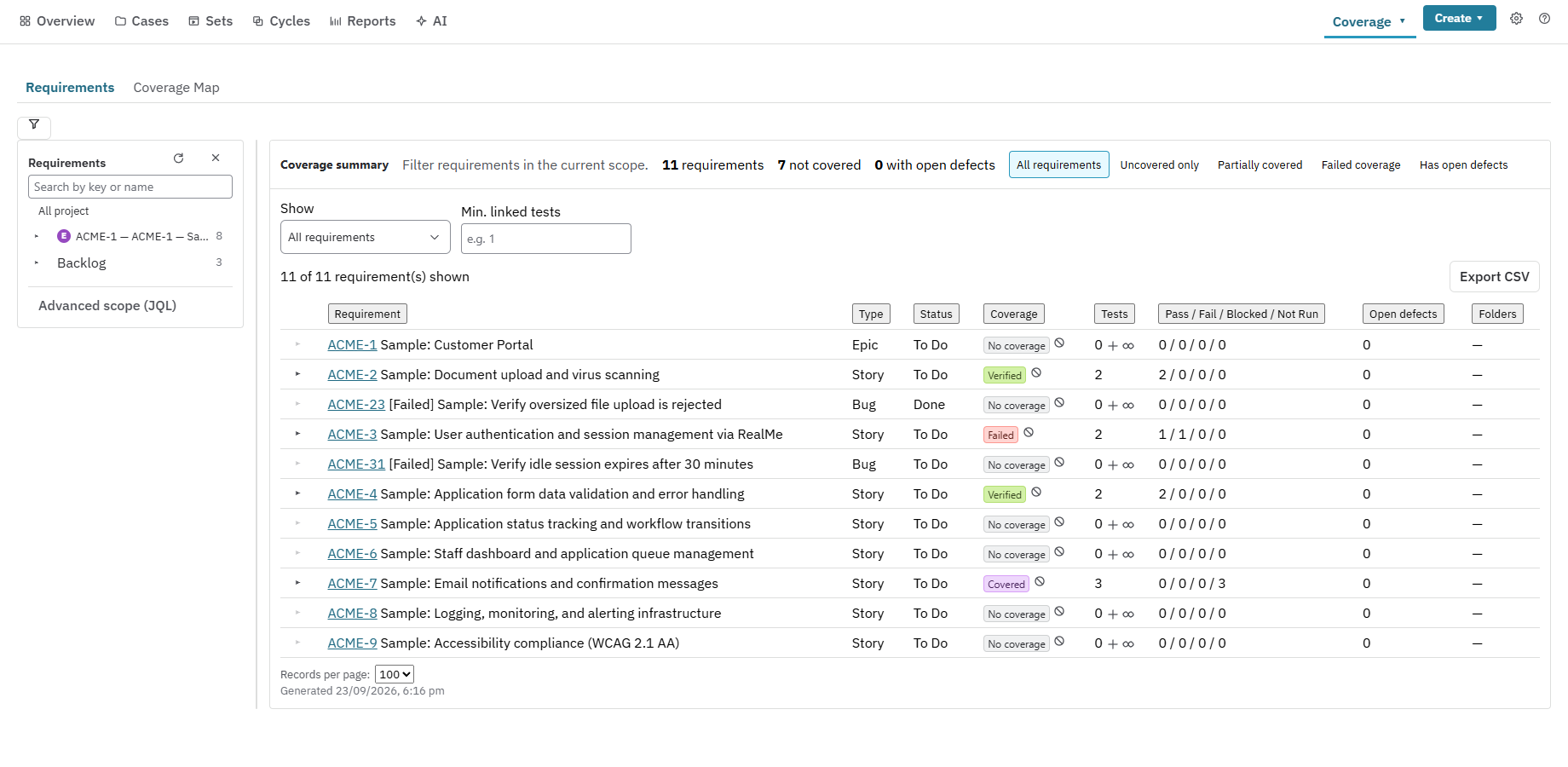
Use the coverage view to find untested, failed and verified requirements. Then review environment currency and release gates before making the decision.
Review the release scope, pass rate by target environment, Quality Score, flaky tests, attention items and the gates your team configured. Follow the underlying evidence instead of relying on one percentage.
Record an append-only go or no-go sign-off that retains the gate results at that moment. Later activity does not rewrite the earlier decision.
Use the stale-test re-run plan to bring affected tests into a cycle. Results remain connected to requirements, executions and their environments.